Download the SIBIONICS app on your smartphone from the Apple App Store or Google Play Store.
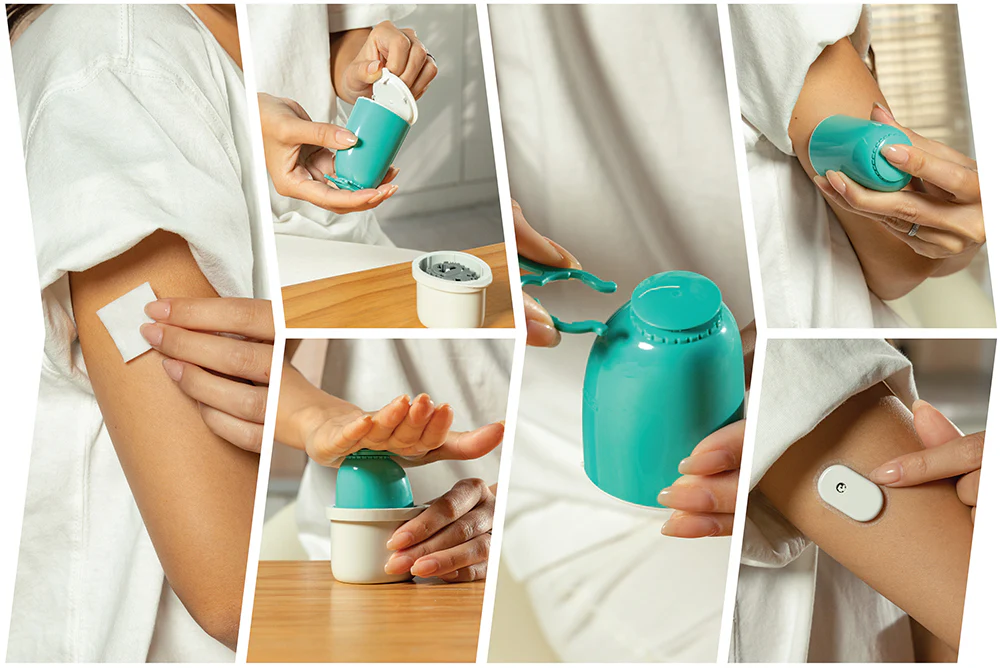
Step 2: Application
Follow the instructions in the video above to correctly install the sensor.
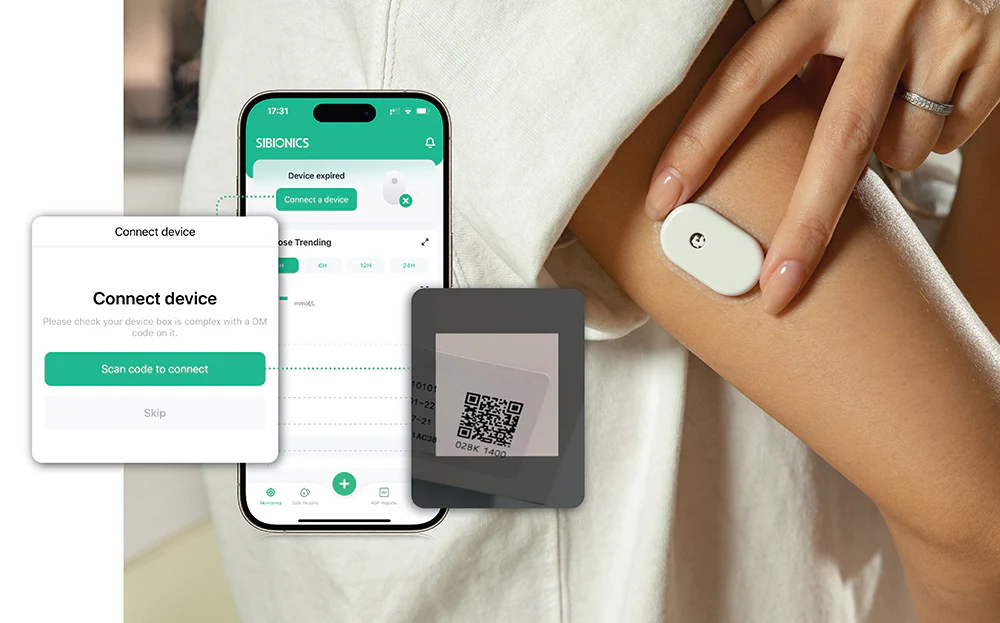
Step 3: Connection
Open the mobile app and follow the instructions to connect your sensor. You can either scan the QR link code on the box or manually enter the 8-digit link code.
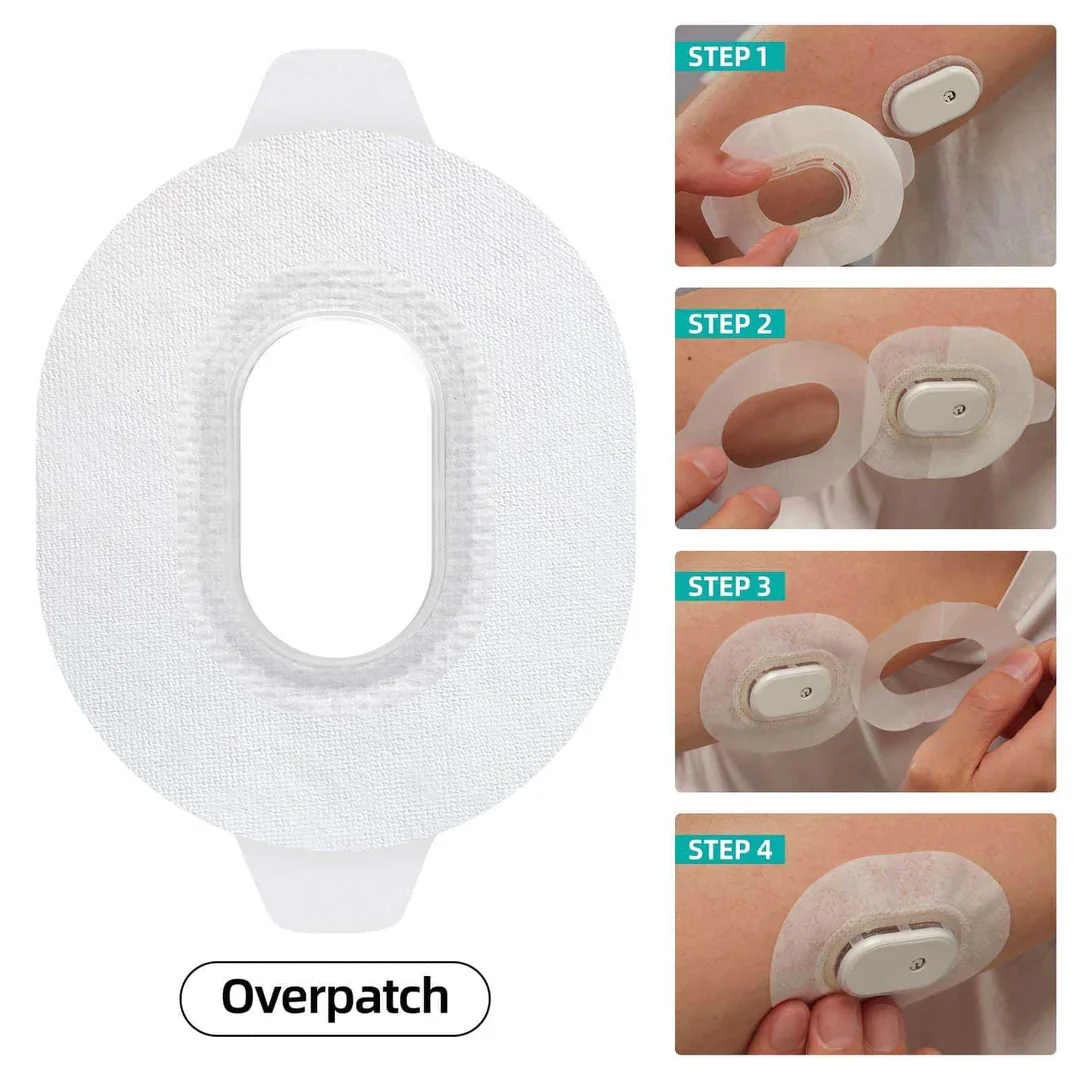
CGM Overpatch User Guide
Preparation and Application: Clean and dry your skin, then place the adhesive patch over the sensor.
Applying the First Side: Peel back half of the backing and press it down firmly.
Applying the Second Side: Peel back the remaining backing and press it down firmly.